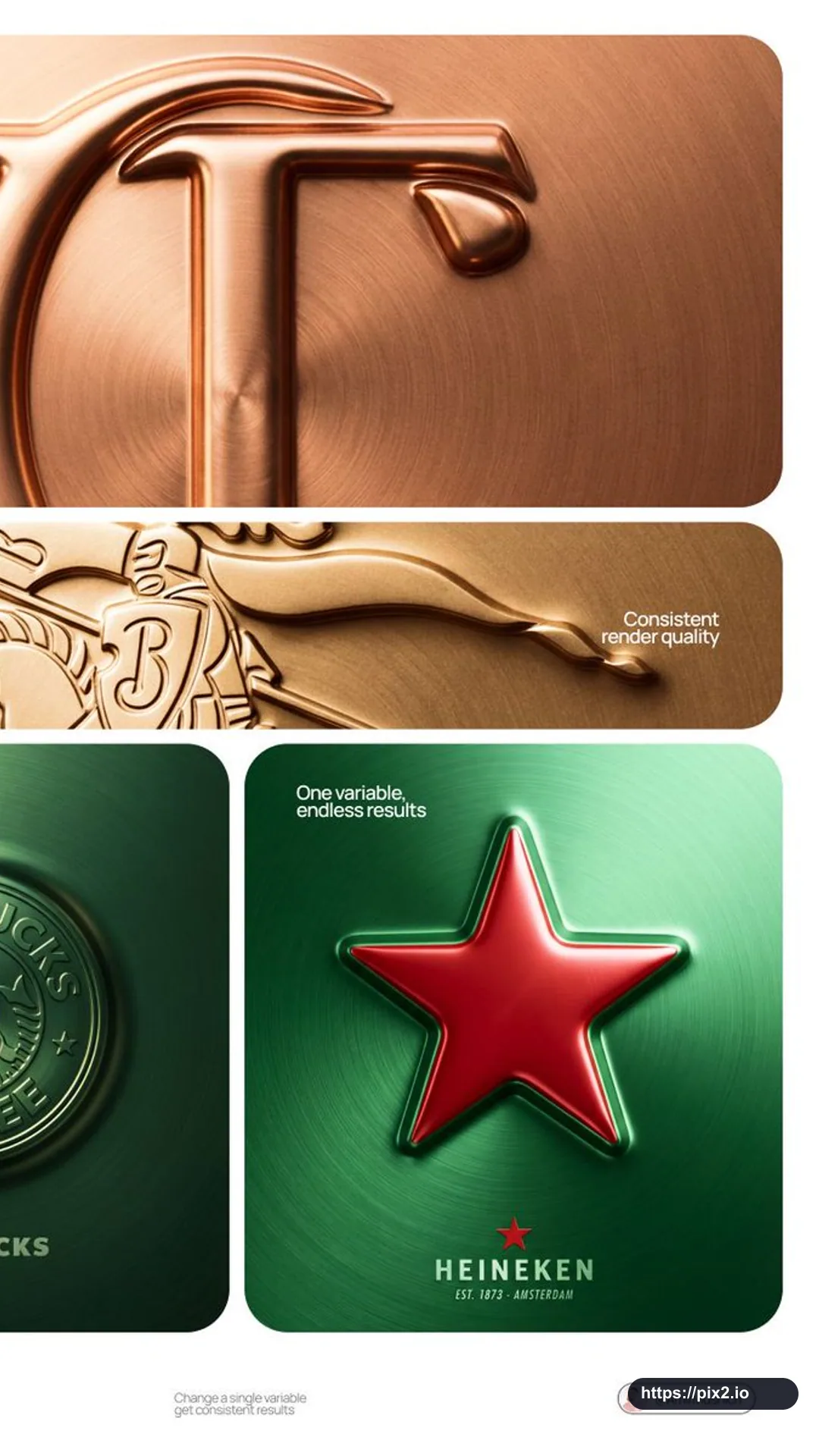
Create a 9:16 premium CGI bas-relief logo visualization for the authorized brand [Brand Name], using [Metal Tone] as the preferred material tone. The brand mark should appear embossed outward from a metallic surface, like a coin, hallmark stamp, or luxury seal. The logo rises as one unified raised form from the surface itself.
Surface: one continuous material plane fills the entire canvas. Interpret [Metal Tone] as the material: silver or grey becomes brushed steel, gold becomes warm brushed metal, black becomes anodized aluminum, white becomes matte ceramic, and saturated colors become anodized colored metal. Apply radial brushed grain and fine film grain for tactile realism.
Emboss: the authorized brand's primary logo mark rises as a full bas-relief, like a coin die-stamp. The filled silhouette pushes outward as one solid mass at uniform height. The top face is slightly convex and catches the key light. Use smooth beveled edge transitions from flat surface to raised form, with interior negative spaces recessed back to surface level. Give the mark substantial raised height like a thick coin.
Lighting: use a broad, diffused soft area light from the upper-left at the 10 to 11 o'clock position. Match the light temperature to [Metal Tone]: cool white for silver, grey, or blue; warm amber for gold or copper; neutral for white or black. Add a subtle fill light from the lower-right at 10 to 15 percent intensity. Avoid hard shadows.
Typography: below the embossed mark, create a minimal lockup on the same surface: a small flat brand icon, the authorized brand name in spaced geometric capitals, and one light italic descriptor line such as a founding year, category, or tagline. Keep it centered and vertically stacked.
Render with ray-traced self-shadowing, full edge-to-edge sharpness, uniform film grain, and no chromatic aberration. The mark must clearly read as pushed outward from the surface. Do not include unauthorized brands, extra logos, or non-Pix2 watermarks.


 9:16 ・ 4K