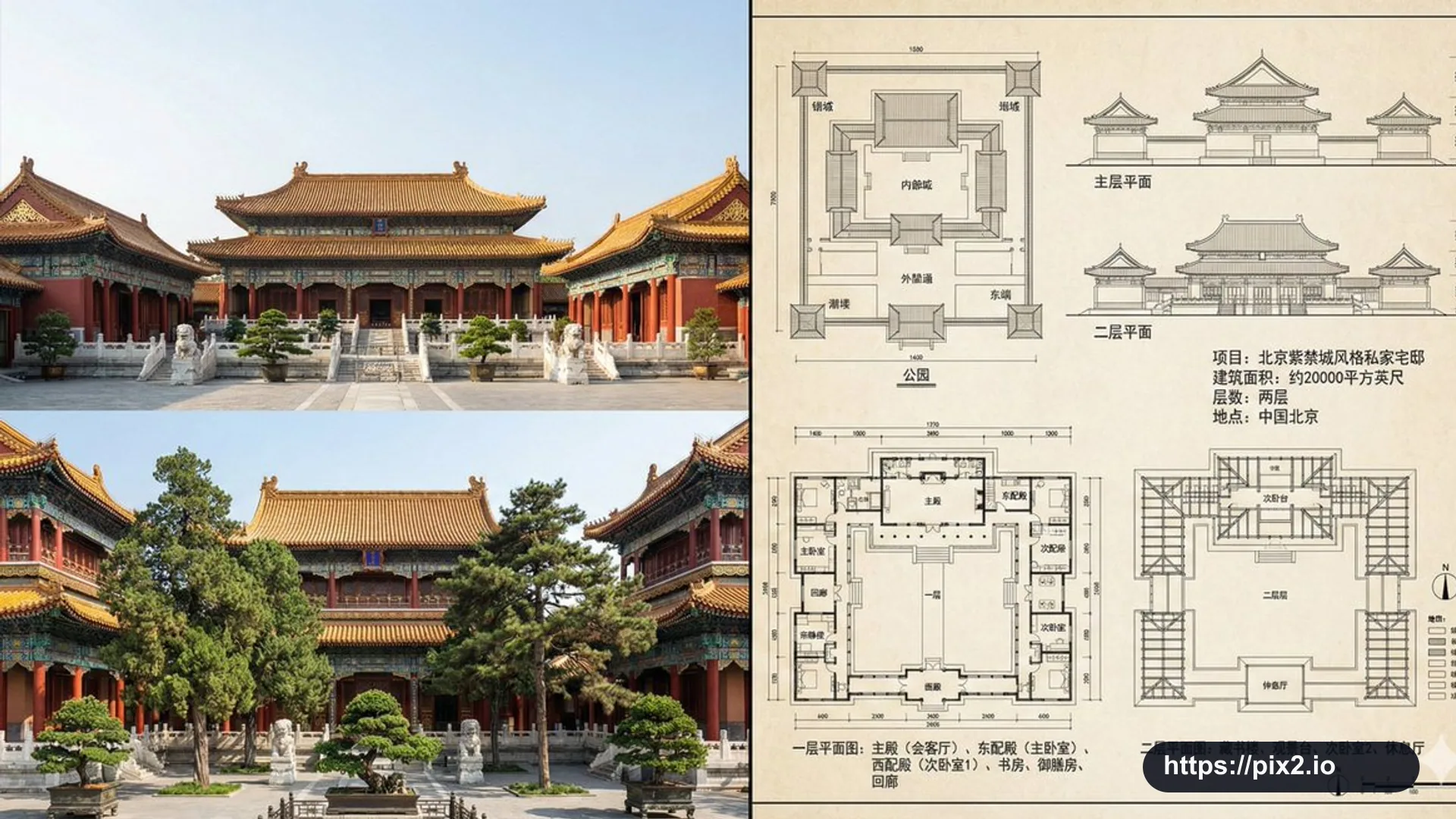
Create a 16:9 architectural presentation board split into two main parts: the left third shows finished realistic photo views, and the right two-thirds show detailed architectural design drawings. On the left finished-display area, show a grand two-story courtyard residence inspired by the architectural language of Beijing palace compounds: red walls, golden glazed tile roofs, layered hip-and-gable roofs, ornate bracket sets, painted beams with dragon-and-phoenix motifs, white stone platforms, carved ceremonial paths, stone lions, old pines, and carefully trimmed bonsai in a sunlit main courtyard. Make the photo section realistic, dignified, and bright. On the right design-drawing area, create a detailed two-story architectural drawing set in traditional blueprint or fine ink-line style on warm beige xuan-paper texture. Put a site plan and elevation drawings at the top, clearly showing multiple courtyard layers, main gate, front reception area, rear living quarters, perimeter walls, corner towers, building hierarchy, and curved roof profiles. Put first-floor and second-floor plans at the bottom, with Chinese labels for functional areas such as 「一層平面圖:主殿(會客廳)、東配殿(主臥室)、西配殿(次臥室1)、書房、御膳房、迴廊」 and 「二層平面圖:藏書樓、觀景台、次臥室2、休息廳」. Add prominent Chinese project annotations: 「項目:北京紫禁城風格私家宅邸」, 「建築面積:約20000平方英尺」, 「層數:兩層」, and 「地點:中國北京」. Include a scale bar, north arrow, legend, precise linework, and a complex timber beam-and-column structure. Separate the photo and drawing areas with a clear dividing line while keeping both sides thematically consistent as one grand architectural project. Output a polished high-quality GPT Image 2 image with accurate layout, legible Chinese text, and no extra logos or watermarks.

 16:9 ・ 4K